
Sample size considered for data checks
When tables contain more than 1 million rows, the DQC Platform automatically applies sampling to ensure data checks are efficient and scalable — without compromising relevance or statistical value.
The platform chooses the sampling method dynamically, based on the structure and distribution of the dataset.
How sampling works
The DQC Platform uses a decision-tree approach to select the most appropriate sampling method based on dataset characteristics:
1. Random sampling
Used when:
The dataset is uniformly distributed without clear subgroups.
Why:
Provides a simple, unbiased, and representative sample of the full dataset.
2. Stratified sampling
Used when:
The dataset contains distinct subgroups (strata) whose representation is important.
Why:
Reduces sampling error and ensures balanced coverage across key segments (e.g., departments, regions, product lines).
3. Systematic sampling
Used when:
The dataset is ordered (e.g., time series or spatial data).
Why:
Ensures even distribution across the range — e.g., one row per 1000 entries.
4. Cluster sampling
Used when:
The dataset is grouped into natural clusters (e.g. by geography or business unit), and it would be costly to sample every unit.
Why:
Efficient and cost-effective when full-row sampling isn't feasible.
Want to run checks on the full dataset?
If you prefer to include all rows in a table check — regardless of size:
Open the “...” menu in the ruleset header and choose Manage ruleset > Scope
In the Ruleset check scope dialog, tick “No row limit”
Save and run the check as usual
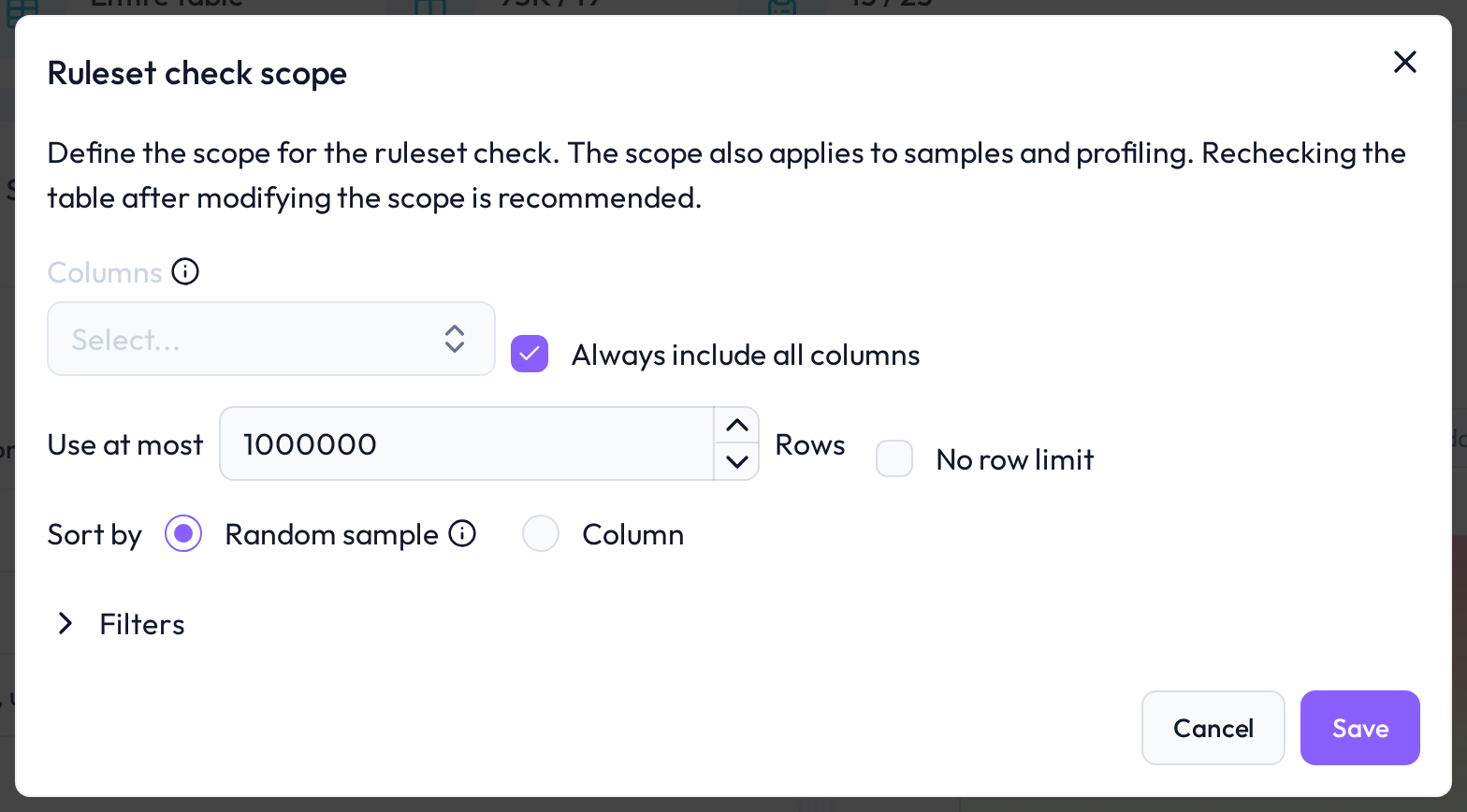 Full scans can be enabled manually where needed
 Notes
Sampling only applies when the table has more rows than the row limit of the ruleset (1 million by default)
The sampling method is selected automatically and transparently
You can override the sampling by switching to full-table scope
Learn more: Adjustment of the Ruleset check scope, Working with the Rules tab, Overview of existing rules