
Deletion of a table
Tables can be removed from the DQC Platform — but the deletion method depends on the data source type.
Static files (e.g. CSV, Excel, Parquet), PDF tables, and virtual tables → Can be deleted individually
Database tables → Can be removed individually in the connector's table selection, or all together by deleting the connector
Deleting static file, PDF, and virtual tables
To delete a static file (e.g. CSV, Parquet, Excel), a PDF table, or a virtual table:
Open the table
Open the “...” menu in the header (available on every tab)
Click “Delete table” and confirm
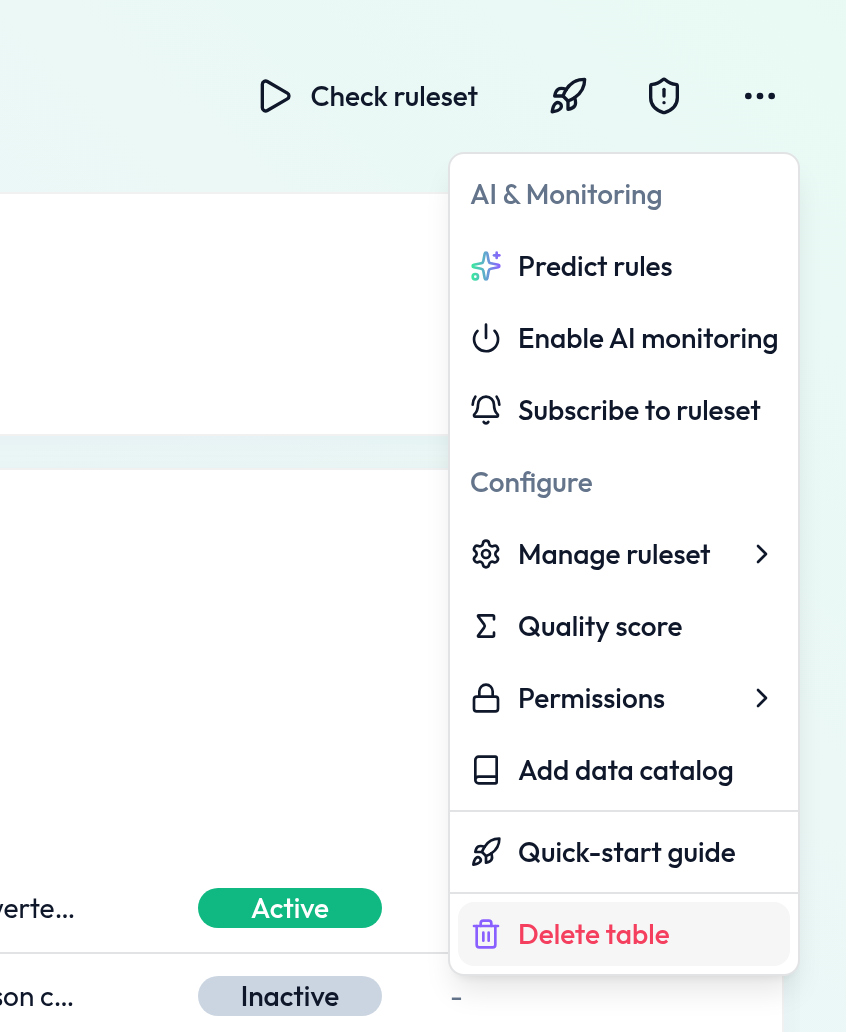 This will remove the table and all its associated rules
Deleting a table from a database connector
If the table originates from a connected database (e.g. Snowflake, Postgres):
Database tables do not have a Delete table option in the table header. To remove individual tables, go to Connectors > Data sources, edit the connector, deselect the tables in the table selection, and save to resync.
To remove all tables of a connector at once, delete the entire connector:
Go to Connectors > Data sources
Select the connector
Click the “...” menu → “Delete”
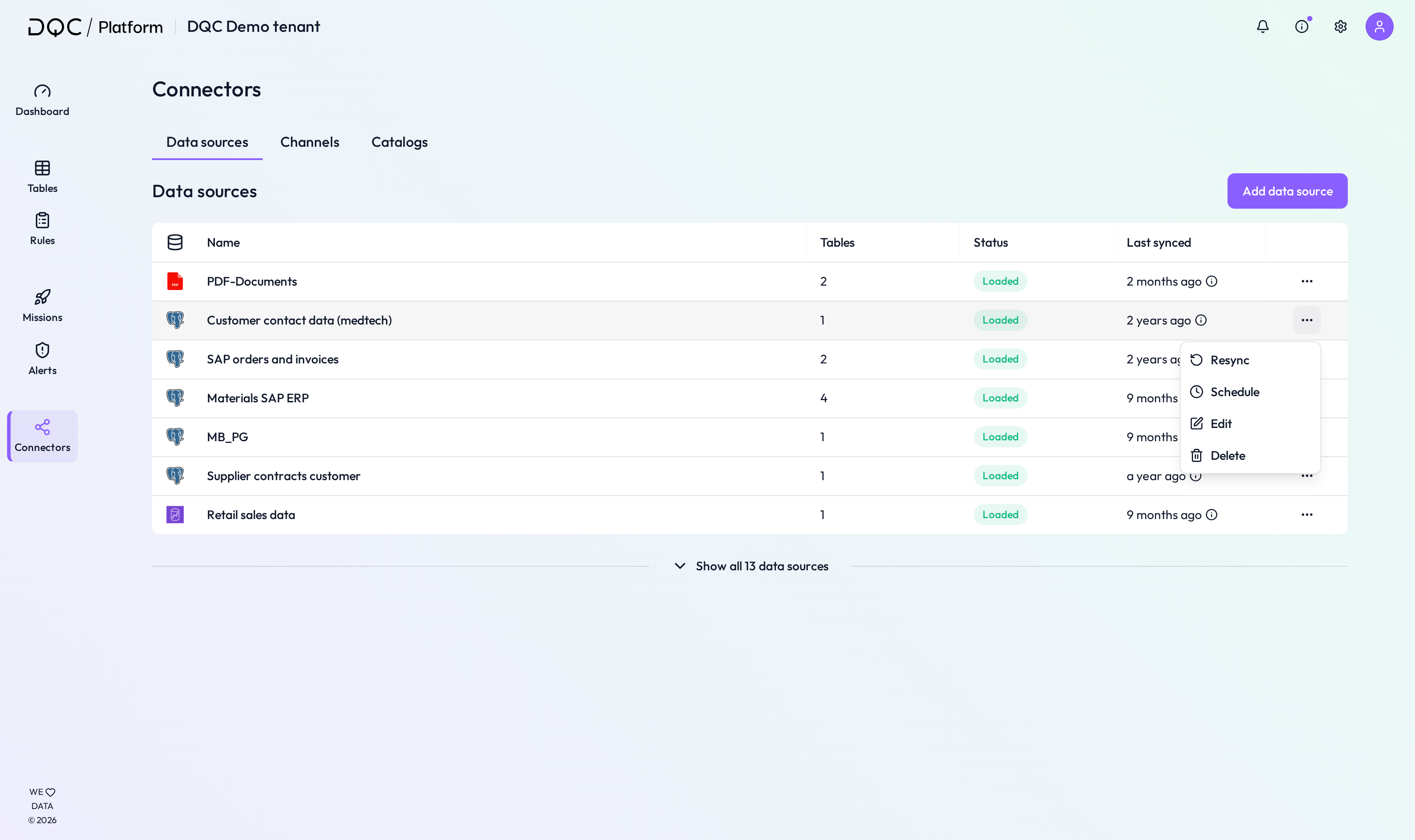 Deleting a connector removes all linked tables and rules
 Notes
Only static file tables, PDF tables, and virtual tables have a direct Delete table action on the table
Database tables are removed by deselecting them in the connector's table selection or by deleting the full connector
Deleted items cannot be restored
Learn more: Connectors Screen, Rule Repository